
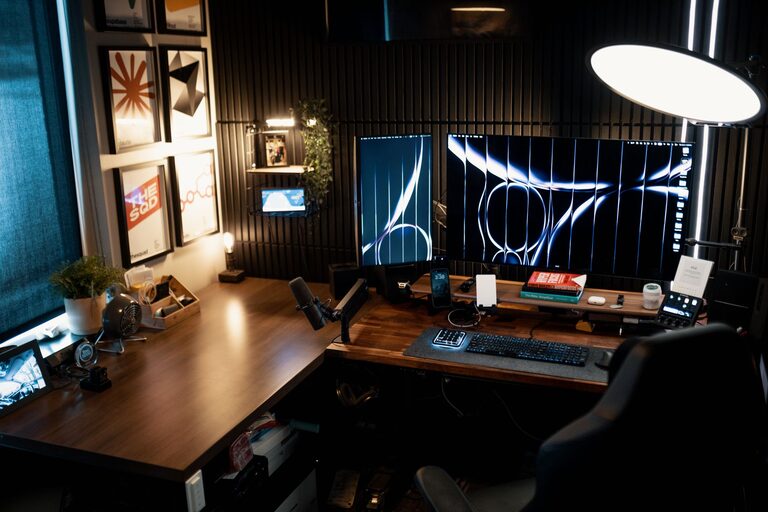
Creating a home office that is both cozy and productive can significantly improve your work-from-home experience. A well-designed workspace supports focus and creativity while making your daily tasks more enjoyable. Whether you have a dedicated room or just a corner in your apartment, these practical tips will help you design a home office that feels inviting and boosts your productivity.
Choose the Right Location
Consider Natural Light
When setting up your home office, prioritize a spot with plenty of natural light. Sunlight enhances mood and reduces eye strain. If possible, position your desk near a window without causing glare on your screen.
Minimize Noise Distractions
Select a quiet area away from household traffic and noisy appliances. If you have limited options, noise-cancelling headphones or background white noise can help maintain focus.
Invest in Comfortable Furniture
Ergonomic Chair
A supportive chair that encourages good posture is essential. Look for one with adjustable height, lumbar support, and comfortable padding to prevent back pain during long hours.
Functional Desk
Choose a desk with ample surface area to accommodate your computer, documents, and accessories. If space is tight, consider foldable or wall-mounted desks.
Personalize Your Space
Add Soft Textiles
Throw blankets, cushions, or a small rug can add warmth and comfort to your office. These soft touches make the environment inviting and reduce the sterile feel of typical workspaces.
Decorate with Plants
Indoor plants improve air quality and add a calming green element. Low-maintenance options like succulents or pothos are ideal if you don’t have a green thumb.
Organize Efficiently
Use Storage Solutions
Keep your desk clutter-free by using organizers, shelves, or filing cabinets. Label boxes and drawers to quickly find what you need.
Wire Management
Tackle cable clutter by using clips, sleeves, or under-desk trays. A tidy workspace reduces distractions and creates a streamlined look.
Optimize Lighting
Combine Ambient and Task Lighting
Ensure your office has balanced lighting; use overhead lights for general illumination and desk lamps for focused tasks. Adjustable lamps allow you to direct light where you need it most.
Avoid Screen Glare
Position lighting to prevent reflections on your computer monitor. Matte screen protectors can also reduce glare.
Create a Routine-Friendly Environment
Set Boundaries
Define your workspace clearly if it shares a room with other activities. This helps signal to yourself and others when you are working.
Keep Refreshments Nearby
Having a water bottle and healthy snacks at hand reduces interruptions and keeps your energy steady.
Incorporate Technology Wisely
Reliable Internet Connection
A fast, stable internet connection is crucial for virtual meetings and research. Consider a wired connection if Wi-Fi is inconsistent.
Quality Accessories
Invest in a good keyboard, mouse, and headset to make your work smoother and reduce discomfort.
Take Breaks and Move
Encourage Movement
Arrange your office so you can stand or stretch easily. Consider a standing desk converter or schedule regular breaks for physical activity.
Add a Relaxation Spot
If space permits, add a comfortable chair or cushions for short breaks to recharge your mind.
—
By thoughtfully designing your home office with these tips, you can create an environment that feels both cozy and conducive to productivity. Remember, the best workspace reflects your personal preferences while supporting your professional needs. Start small, and adjust your setup until it feels just right—your work quality and well-being will thank you!