
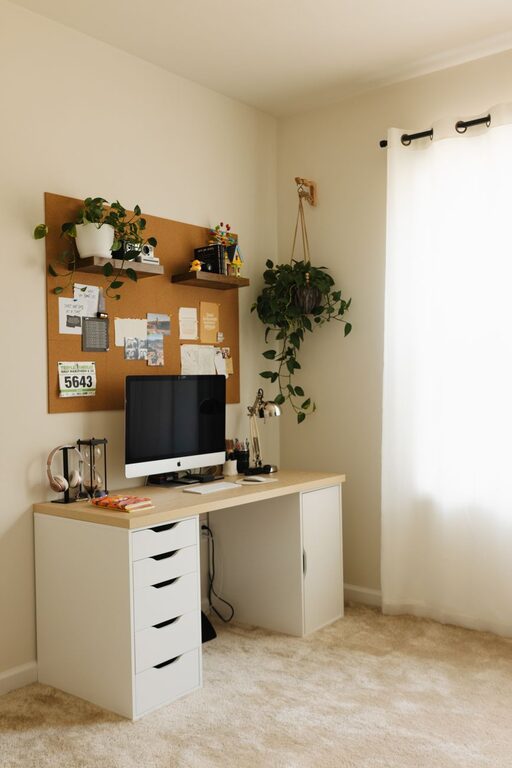
Creating a workspace at home that is both cozy and productive is essential for anyone working remotely or spending long hours on projects. A well-designed environment can improve focus, reduce stress, and enhance overall work satisfaction. Here are some practical tips to help you set up a home workspace that feels inviting and supports your daily tasks.
Choose the Right Location
Finding the ideal spot in your home for your workspace is the first step. Look for a quiet area with minimal distractions where you can concentrate.
– Natural Light: If possible, position your desk near a window. Natural light boosts mood and energy levels.
– Away from Noise: Avoid high-traffic areas like living rooms or kitchens where noise can disrupt your focus.
– Separate Space: Even if space is limited, try to create a dedicated area that distinguishes work from leisure.
Invest in Ergonomic Furniture
Comfort is key when working for extended periods.
– Ergonomic Chair: Choose a chair that supports your back and encourages good posture.
– Adjustable Desk: Consider desks that allow you to alternate between sitting and standing.
– Proper Desk Height: Ensure your desk height allows your arms to rest comfortably with your wrists straight while typing.
Keep It Organized and Clutter-Free
A tidy workspace helps maintain a clear mind and efficient workflow.
– Storage Solutions: Use shelves, drawers, or desk organizers to keep essentials within reach but out of sight.
– Cable Management: Employ clips, boxes, or sleeves to keep cords untangled and out of the way.
– Minimalist Approach: Only keep necessary items on your desk to reduce distractions.
Personalize Your Space
Adding personal touches can make your workspace feel inviting and motivating.
– Plants: Small indoor plants can improve air quality and add a calming touch.
– Artwork: Hang inspiring pictures or print quotes that encourage focus and positivity.
– Comfort Items: Include a cozy blanket, cushions, or a small lamp to create warmth.
Optimize Lighting
Proper lighting reduces eye strain and enhances mood.
– Layered Lighting: Combine natural light, overhead lighting, and task lamps for flexible illumination.
– Adjustable Lamps: Use desk lamps with adjustable brightness to suit different times of the day.
– Avoid Glare: Position screens and lights to prevent reflections and glare.
Set Boundaries and Routine
A productive workspace is not only about the physical setup but also about your habits.
– Work Hours: Define clear working hours to balance productivity and relaxation.
– Breaks: Schedule regular breaks to rest your eyes and stretch your legs.
– Digital Boundaries: Use apps or settings to minimize notifications and avoid distractions during focus times.
Incorporate Technology Wisely
Using the right tools can streamline your work.
– Reliable Internet: Ensure stable and fast internet connectivity.
– Quality Equipment: Invest in a good monitor, keyboard, and mouse for comfort and efficiency.
– Backup and Security: Protect your work with backup solutions and updated security software.
Maintain Air Quality and Comfort
Healthy air and a comfortable temperature contribute to well-being.
– Ventilation: Open windows or use air purifiers to keep fresh air circulating.
– Temperature Control: Use fans or heaters as needed to maintain a pleasant environment.
– Humidity: Consider a humidifier during dry seasons to avoid discomfort.
Final Thoughts
Designing a cozy and productive home workspace involves blending comfort, functionality, and personal style. By thoughtfully arranging your environment, using ergonomic furniture, and sticking to a consistent routine, you create a space where work feels less like a chore and more like a natural part of your day. Take small steps to improve your workspace, and you’ll likely see positive changes in your productivity and overall well-being.