
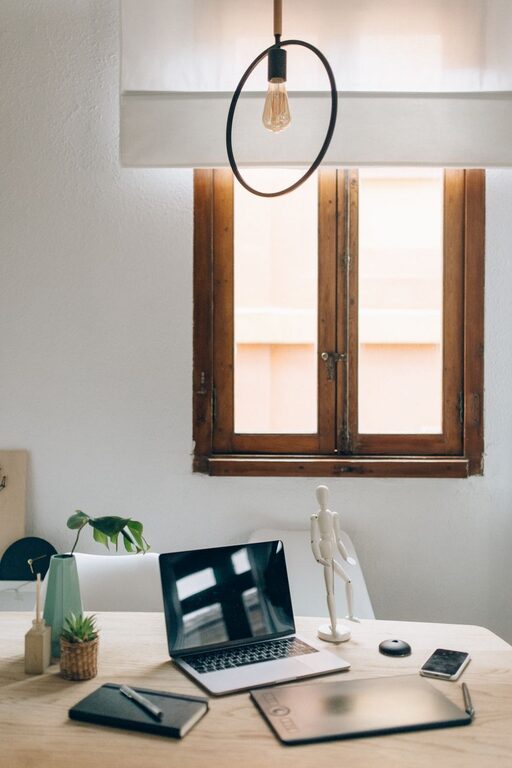
Creating a home office that feels both cozy and productive can significantly improve your work experience, especially when working remotely. A well-designed workspace helps you stay focused, reduces stress, and makes your workday more enjoyable. Below, we explore practical tips to set up a home office environment that meets your needs for comfort and efficiency.
Choose the Right Location
Selecting the right spot in your home for your office is the first important step. Ideally, pick a quiet area with minimal distractions. If possible, use a room with a door so you can separate work time from home life. Natural light is also essential; it helps reduce eye strain and boosts mood.
Tips for Choosing Your Space:
– Avoid high-traffic areas like the living room or kitchen.
– Opt for a corner or a dedicated room.
– Consider proximity to power outlets and internet connectivity.
Invest in Comfortable Furniture
Comfort plays a key role in productivity. Ergonomic furniture supports good posture and reduces discomfort during long working hours.
Essentials for a Comfortable Setup:
– Ergonomic Chair: Adjustable height, lumbar support, and comfortable seat cushioning.
– Desk: Choose one that fits your space and provides enough room for your computer and other essentials.
– Footrest: Helps maintain good posture if your feet don’t reach the floor comfortably.
– Monitor Stand: Keeps your screen at eye level to avoid neck strain.
Optimize Lighting
Proper lighting can reduce fatigue and improve focus. Natural light is best, but if that’s limited, invest in quality artificial lighting.
Lighting Tips:
– Position your desk near a window to maximize daylight.
– Use adjustable desk lamps with warm light.
– Avoid harsh overhead lighting or glare on screens.
Organize Your Workspace
A clutter-free desk enhances concentration and reduces stress. Use storage solutions to keep essentials within reach but out of sight when not in use.
Organizing Ideas:
– Use desk organizers, trays, or drawer dividers.
– Label storage containers for easy access.
– Keep only daily-use items on your desk.
– Use cable management tools to keep cords tidy.
Personalize Your Space
Adding personal touches can make your workspace feel inviting and motivate you throughout the day.
How to Personalize:
– Display photos, artwork, or inspirational quotes.
– Add plants for a touch of nature and better air quality.
– Choose colours that make you feel comfortable and energized.
Manage Noise and Distractions
Noise can interrupt your workflow, so consider ways to minimize distractions.
Noise Reduction Strategies:
– Use noise-cancelling headphones or earplugs.
– Play gentle background music if it helps you focus.
– Use white noise machines or apps if the environment is noisy.
– Establish boundaries with family members or housemates during work hours.
Establish a Routine and Break Times
Your environment supports productivity best when paired with good habits.
Routine Tips:
– Set consistent work hours to create boundaries.
– Take regular breaks to stretch, hydrate, and rest your eyes.
– Use timers or apps to remind you to step away from your desk.
Keep Technology Updated and Efficient
Reliable technology is crucial for smooth workdays.
Tech Recommendations:
– Ensure a strong, stable internet connection.
– Use a quality keyboard and mouse suited to your comfort.
– Keep your computer and software updated to avoid disruptions.
– Backup your data regularly.
Maintain Good Air Quality and Temperature
Indoor comfort includes air quality and temperature control.
Comfort Tips:
– Open windows when possible to let in fresh air.
– Use air purifiers if needed.
– Maintain a comfortable temperature between 20-22°C (68-72°F).
– Use fans or heaters to adjust temperature accordingly.
Final Thoughts
Creating a cozy and productive home office takes time and attention to detail, but the benefits are worth it. By choosing the right location, investing in ergonomic furniture, optimizing lighting, and organizing your space, you can create an environment that supports both comfort and focus. Personal touches and managing distractions enhance the atmosphere, making your home office a place you enjoy spending time.
Remember, your workspace should evolve as your needs change. Keep assessing and adjusting your setup to maintain the perfect balance between coziness and productivity. Happy working!